Congratulations! You solved the puzzle!
Click for completing the puzzle
How to play Photo Puzzle
- Select whether you play on a PC or a mobile device.
- Use your device's camera to take a picture by clicking the "Shoot" button.
- Adjust the number of snippets and difficulty level using the provided controls.
- Shake your mobile device or click the "Shake!" button, if you are on a PC, to shuffle the puzzle pieces.
- Rearrange the pieces to solve the puzzle.
- If you get stuck, use the "Move One Step" or "Solve Puzzle" buttons for assistance.
- Once you've solved the puzzle, you can save your picture!
Controls
| Action | Mobile Device | PC |
|---|---|---|
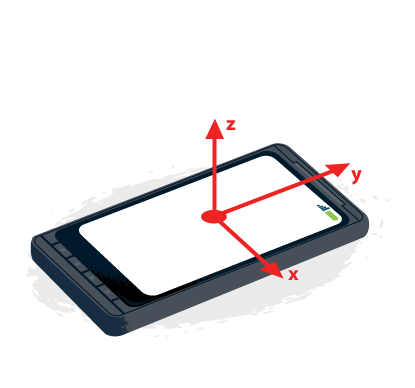
| Select Snippet | Tap on snippet or move mobile device on the x/y axis | Click on snippet or use arrow keys |
| Swap Snippets | Rotate your phone around the z/x/y axis using alpha/beta/gamma rotations depending on whether you are in landscape or portrait mode |
Use W/A/S/D keys |